
Ask ten Koreans which map app they use and you’ll get something close to a five-five split, plus one person who shrugs and says whatever came on the phone. I’ve used both for years. I’m a Naver person when I’m looking for a place and a Kakao person when I’m waiting for a bus, which sounds fussy until you’ve stood at a stop in the rain staring at a countdown you actually trust.
So this isn’t a “both are great, it depends” post. They are good at different things, and for a visitor those differences show up in very specific moments: typing a restaurant name in English and getting nothing, coming up the wrong subway exit, or wondering at 11:40pm whether the last train already left.
First, why not just use Google Maps?
Because in Korea it still won’t walk you anywhere. Google Maps here shows places, reviews and public transit routes, but there’s no turn-by-turn walking or driving navigation. That’s been the case for close to twenty years, tied to Korean restrictions on sending detailed map data abroad.
It did start to change this year. On February 27, 2026, the Korean government approved Google’s request to use high-precision map data, with a list of security conditions attached. Approval isn’t a launch, though. At the end of August Google was still hiring people to build out the Korean service, and as of mid-September 2026 there’s no announced date for turn-by-turn directions. Maybe by your next trip. Probably not this one.
Where Google Maps is still handy: saving pins at home before you fly, and getting a rough sense of which neighborhood your hotel is in. Once you’re actually on the street, a blue dot and a straight line toward your destination is not navigation. Korean back streets don’t run in straight lines, and a lot of them don’t have names you can read off a sign.
The short answer
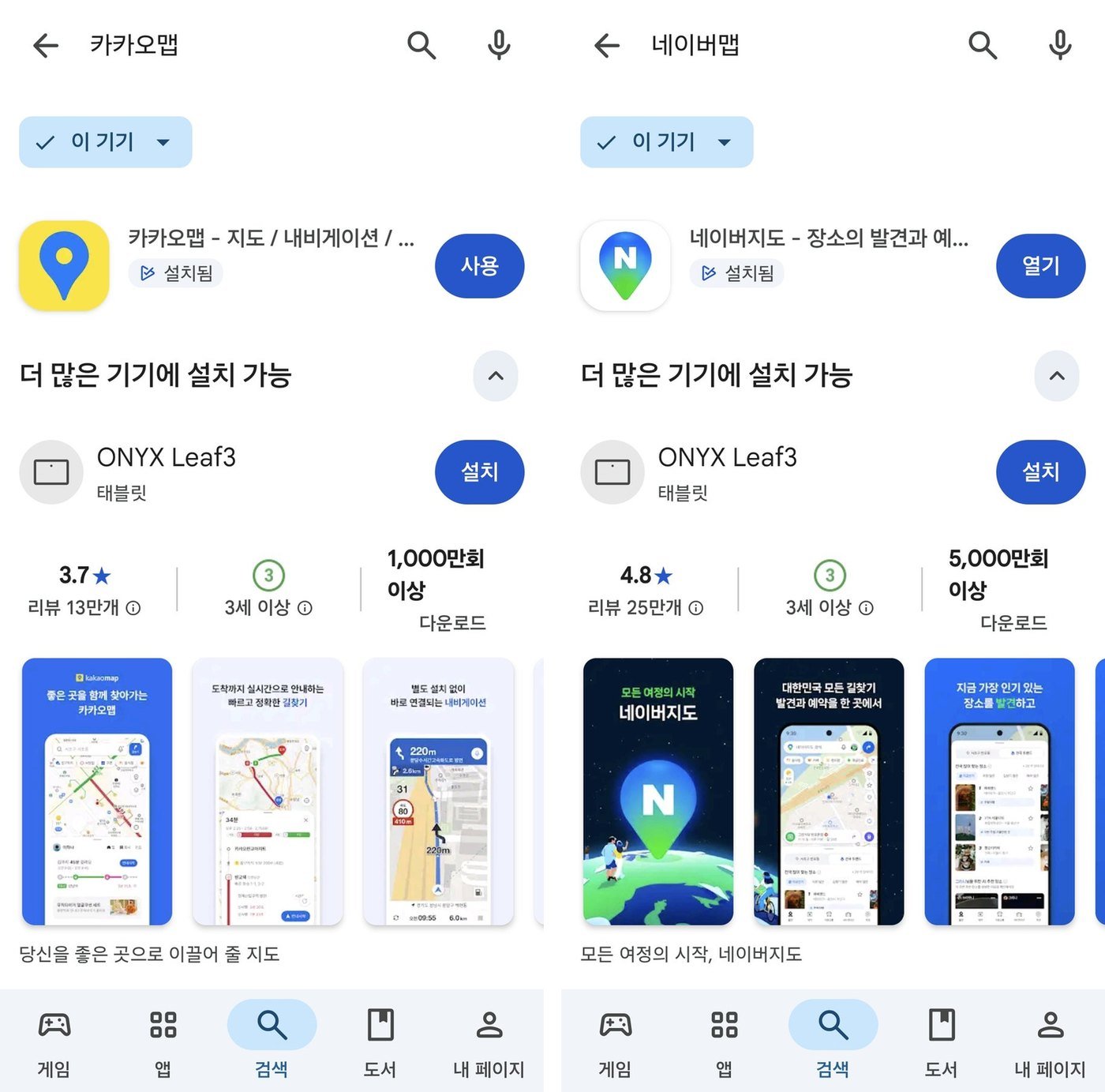
If you only install one, make it Naver Map. The English is more complete, it knows about more tiny businesses, and most of what you’ll do as a visitor, like looking at a menu, checking whether a place closes on Mondays or reading reviews, happens inside Naver’s place pages anyway.
If you’ll be riding city buses a lot, or you already use Kakao T for taxis, put Kakao Map on the phone too. Both are free. Storage space is the only real cost, and nearly every Korean I know has both installed without thinking twice about it.
Where Naver Map wins
Naver has had English, Chinese and Japanese versions since 2018, and it shows. Change the language in the app settings and the menus, route steps and station names mostly come through in English. Not everything. Plenty of shop names and reviews stay in Korean, because the shop owner typed them in Korean and nobody translated them.
The real advantage is coverage. Naver is the country’s biggest search portal, so when someone opens a little noodle place or a nail salon on the third floor above a pharmacy, Naver is where they put it first. Open a place page and you’ll usually find photos, opening hours, break times, a menu board someone photographed, and reviews from people who scanned a receipt to prove they ate there. Those receipt reviews are the closest thing Korea has to an honest restaurant rating, and locals read them more than any food blog.
Two newer things are worth knowing about. In June 2026 Naver added passport verification for foreign visitors, which opens up Naver Booking, Naver Order and the payment features that used to need a Korean identity check. And if you use the app in a non-Korean language, there’s a BE LOCAL tab at the top with around 300 recommended spots in Seoul and Busan. I’d treat that tab like any curated list: good when you’re stuck for an idea, not something to build a day around.
What bugs me about Naver: the home screen has slowly turned into a shopping mall. Coupons, banners, recommended this and that. The map is still in there, you just have to look past the ads to find it.
Where Kakao Map wins
Kakao Map comes in English and Korean, and that’s it. It feels cleaner. You open it and it looks like a map, which after Naver is a small relief.
Buses are why I keep it. Tap a stop and every bus that stops there is listed with how many minutes and how many stops away it is. Naver shows the same kind of information, and the numbers are usually the same, but when three buses are coming at once I find Kakao’s screen faster to read at a glance. That matters more than it sounds. Seoul buses don’t wait long at stops, and if you’re still squinting at the phone when yours pulls in, it’s already pulling out.
Kakao is also tied into the rest of the Kakao world. If you already have a Kakao account from KakaoTalk or Kakao T, moving from a place on the map to calling a taxi there feels natural. If you don’t, it doesn’t matter much; I’ve never been stopped from searching a place or getting directions just because I wasn’t logged in.

What actually matters once you’re out there
The exit number is half the directions
Big Seoul stations have ten, twelve, sometimes more exits, and they come up on different sides of wide roads. Come out the wrong one and a place that was a five-minute walk becomes fifteen minutes, including an underpass. Both apps tell you which exit to use. Believe it. Look for the yellow exit signs as soon as you step off the train, and follow the number, not your sense of direction. Nobody’s sense of direction survives a Korean underground passage.
Which door to stand at
When a route includes a transfer, both apps can show the best spot to board, written something like 3-2, meaning car 3, door 2. The same numbers are printed on or near the platform screen doors. It feels like overkill until you watch everyone around you walk straight to the stairs while you’re stuck at the far end of a long transfer corridor with a suitcase.
The last train comes earlier than you think
Last train times differ by line and by direction, so there’s no single rule I can give you. What I watch for late at night is the departure time on the first step of the route. If the app is suddenly suggesting a long walk to a different station, a bus with an N in its number, or a start time the next morning, that’s the app telling you the train you wanted is gone. At that point I stop fighting it and open a taxi app.

The blue dot lies in some places
Between tall buildings, the GPS jumps around. In underground shopping arcades and inside big stations it basically gives up. My habit is to walk twenty meters in any direction and watch which way the dot moves before trusting the arrow. Also remember the pin gets you to a building, not a door. A lot of restaurants, cafes and clinics here are on the second floor or higher, and the place page usually says so. If you’re standing in front of a phone shop wondering where the restaurant is, look up.
When the English search comes up empty
This will happen, especially with small places. Here’s what I’d do, roughly in order:
- Paste the Korean name. If you found the place on Instagram or a blog, copy the Korean name from there and paste it into the search box. This fixes most failures in one step.
- Search the phone number. Both apps can find a place from its phone number, and numbers don’t have spelling problems.
- Use the Korean address. Hotel booking emails usually include one. Copy and paste it whole.
- Search something big nearby. A subway station, a department store, a chain cafe. Get there, then look around on the map. Sometimes it’s faster than winning the argument with the search box.
One more thing: English transliterations of Korean names are all over the place. The same restaurant can show up as Gogi, Kogi or just a translation of what the word means. If one spelling fails, it doesn’t mean the place isn’t there.
Setting it up before you land
Install both at home on wifi and switch the language to English before you need it, not in an arrivals hall with a dying battery. Save your hotel as a favorite in whichever app you’ll use most, and run one test route from the airport to the hotel so you can see what the directions look like.
Neither app is much use without data, so sort out your connection first. I compared the options in my post on SIM cards and eSIMs in Korea. Give the apps precise location permission, too; approximate location is fine for weather, useless for finding exit 7.
Routes will also give you a fare estimate for the subway and bus legs. That number assumes you’re tapping a transit card, so if you haven’t got one yet, have a look at where to buy a T-money card. For trips between cities, the map apps will show you trains, but booking is a separate thing entirely. That’s covered in how foreigners buy KTX tickets.

What I’d actually put on your phone
Naver Map as the main app, for searching places, reading reviews and walking directions. Kakao Map as the backup, mostly for the bus stop screen. Google Maps for the pins you saved months ago back home, and nothing else.
And if you only remember one thing from all this, make it the exit number. People blame the app when they get lost here, but nine times out of ten the directions were right and they came up the wrong stairs.